
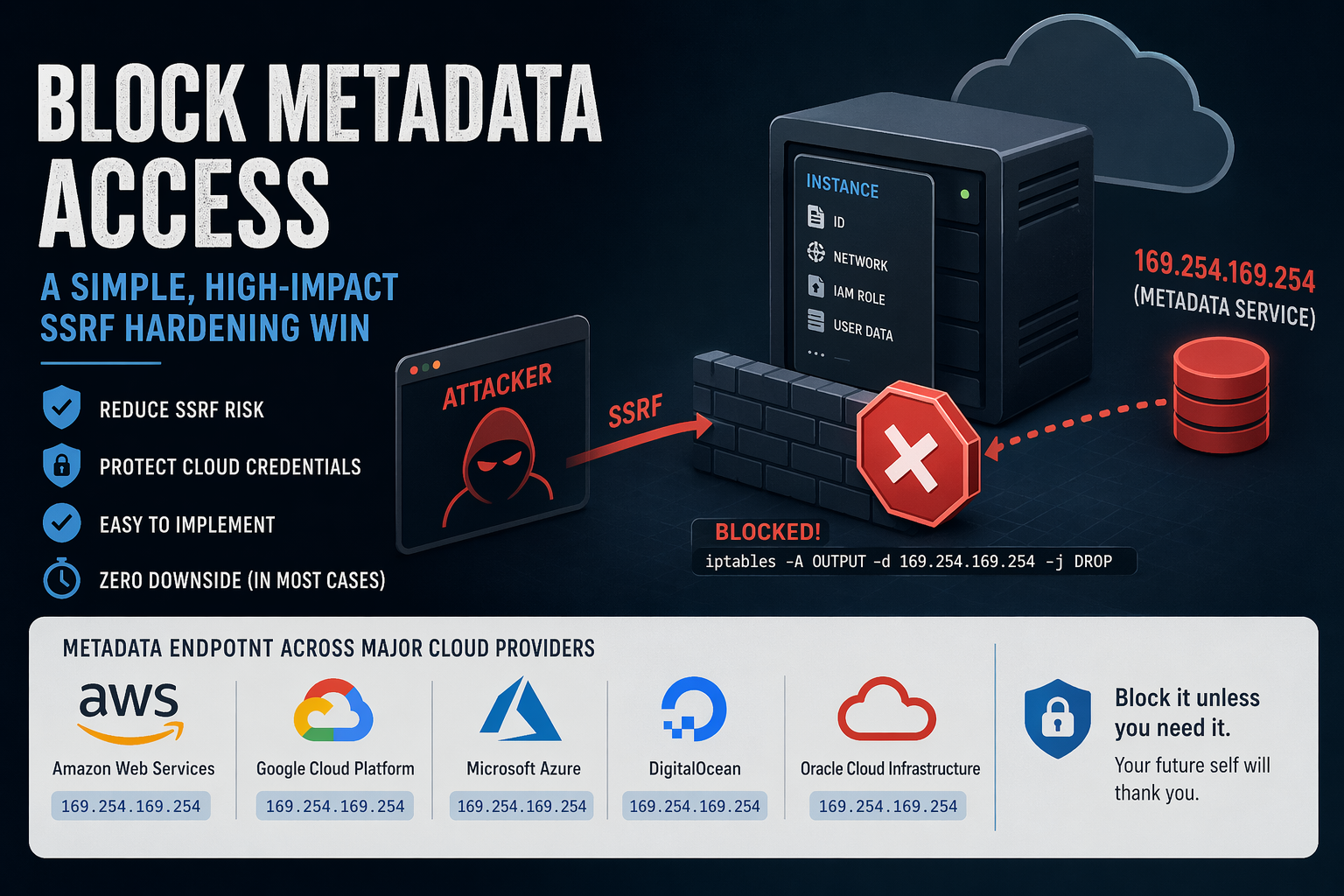
If you’re running infrastructure on cloud platforms, there’s a quiet but powerful security control you can apply with almost no downside: block access to the instance metadata service (IMDS) from your workloads.
I recently applied this on a couple of authoritative DNS nodes running on DigitalOcean, and it’s one of those rare changes that’s both low-risk and high-value.
This blog post explains what is it and how to go about it.
What is Instance Metadata?
Most cloud providers expose a metadata service to instances (VMs). This is a local HTTP endpoint that lets the VM retrieve information about itself, such as:
- Instance ID, hostname
- Network configuration
- SSH keys (sometimes)
- IAM credentials (on some platforms)
This service is not on the public internet. Instead, it’s exposed via a link-local IP address, meaning it’s only reachable from within the instance.
The most commonly used metadata IP:
169.254.169.254This address is part of the link-local range (169.254.0.0/16) and is widely adopted across cloud providers.
Why is Metadata Access Dangerous?
By itself, metadata access is not inherently bad, it’s useful for bootstrapping.
The problem arises when you combine it with SSRF (Server-Side Request Forgery) vulnerabilities.
The Risk Scenario
If an attacker can trick your application into making HTTP requests (e.g., via SSRF), they may be able to:
- Access
http://169.254.169.254 - Query metadata endpoints
- Extract sensitive data like:
- Temporary credentials (e.g., IAM roles on Amazon Web Services)
- Internal configuration
This has been the root cause of several real-world breaches.
- The Capital One data breach is the canonical example: an SSRF vulnerability was used to access the AWS Instance Metadata Service and extract credentials, ultimately exposing data of over 100 million customers
- Security research consistently shows that IMDS (especially IMDSv1) can act as a “skeleton key,” allowing attackers to pivot from a simple SSRF bug to full cloud account compromise
- A 2025 large-scale campaign specifically targeted EC2 instances by abusing metadata endpoints to steal credentials via SSRF
- More recent vulnerabilities (e.g., CVE-2026-39361) explicitly note that attackers can retrieve IAM credentials from AWS, GCP, or Azure metadata services once SSRF is achieved
- Industry threat reports confirm this is ongoing: attackers have been observed systematically exploiting metadata services at scale to steal credentials
So, the metadata endpoints turn a “minor” SSRF bug into credential theft, privilege escalation, and full infrastructure compromise.
Why Blocking It Makes Sense
For many workloads, especially dedicated infrastructure nodes like:
- Authoritative DNS servers
- Reverse proxies
- Stateless services
there is no legitimate need to access metadata after provisioning.
So blocking it gives you:
- SSRF blast-radius reduction
- Defense-in-depth
- Zero operational impact (in most cases)
How to Block Metadata Access (iptables)
The simplest approach: deny outbound traffic to 169.254.169.254
Basic Rule
iptables -A OUTPUT -d 169.254.169.254 -j DROPWith Logging (Optional)
iptables -A OUTPUT -d 169.254.169.254 -j LOG --log-prefix "IMDS BLOCK: "
iptables -A OUTPUT -d 169.254.169.254 -j DROP
If You Use Default-Deny Outbound (Recommended)
If you already enforce a strict outbound policy:
# Ensure metadata is explicitly blocked
iptables -A OUTPUT -d 169.254.169.254 -j REJECT
nftables Equivalent
nft add rule inet filter output ip daddr 169.254.169.254 dropCommon Metadata IPs Across Cloud Providers
While my own usage is mostly limited to DigitalOcean and Amazon Web Services Lightsail, a quick survey of other major platforms shows a consistent design choice: the same metadata endpoint (169.254.169.254) is used across Amazon Web Services, Google Cloud Platform, Microsoft Azure, DigitalOcean, and Oracle Cloud Infrastructure.
NOTE – Blocking this single IP covers almost all major platforms.
When Not to Block It
There are a few scenarios where you should be careful:
- Instances relying on dynamic IAM credentials (common in Amazon Web Services)
- Auto-scaling systems fetching config at runtime
- Agents that depend on metadata (monitoring, provisioning)
If unsure, monitor before blocking:
iptables -A OUTPUT -d 169.254.169.254 -j LOGThen review logs for a few days.
A Practical Rule of Thumb
- Infra nodes (DNS, proxies, load balancers): Block it
- App servers with IAM roles: Evaluate carefully
- Minimal/static workloads: Block it
Final Thoughts
Blocking metadata access is one of those rare controls that:
- Takes minutes to implement
- Requires no architectural change
- Meaningfully reduces risk
If you’re already running a default-deny outbound firewall, this should be part of your baseline.
If not, this is a great place to start.